
POS & business management
Run your business.Not the complexity.
From everyday sales to the operations behind them, AIRPOS brings your business into one connected experience — designed to make managing work feel simpler.
The problem
Running a business shouldn’t feel this heavy.
Activities that don’t connect
Sales in one place, stock in another, cash counted on paper. Every handover is a chance for something to slip.
Product and stock upkeep
Prices, batches, expiry dates and reorder levels take real effort to keep accurate — especially as the range grows.
Hard to see the day clearly
What sold, what made money, and whether the drawer balances shouldn’t take an evening to work out.
Complexity that grows with you
A second till, a second shop, new staff. Each step adds more to manage and more to trust.
The AIRPOS ecosystem
Your business. Connected.
AIRPOS brings sales, inventory, cash, reporting and your team together in one platform — working from the same products, stock and sales records, across every shop.
- Point of saleScan, sell, hold and recall, returns
- InventoryBatches, expiry, reorder levels
- Cash controlRegisters, float, count, deposit
 One platform
- ReportingSales, profit, discounts, stock
- Back officeProducts, suppliers, customers, shops
- Team & accessRoles, permissions, activity log
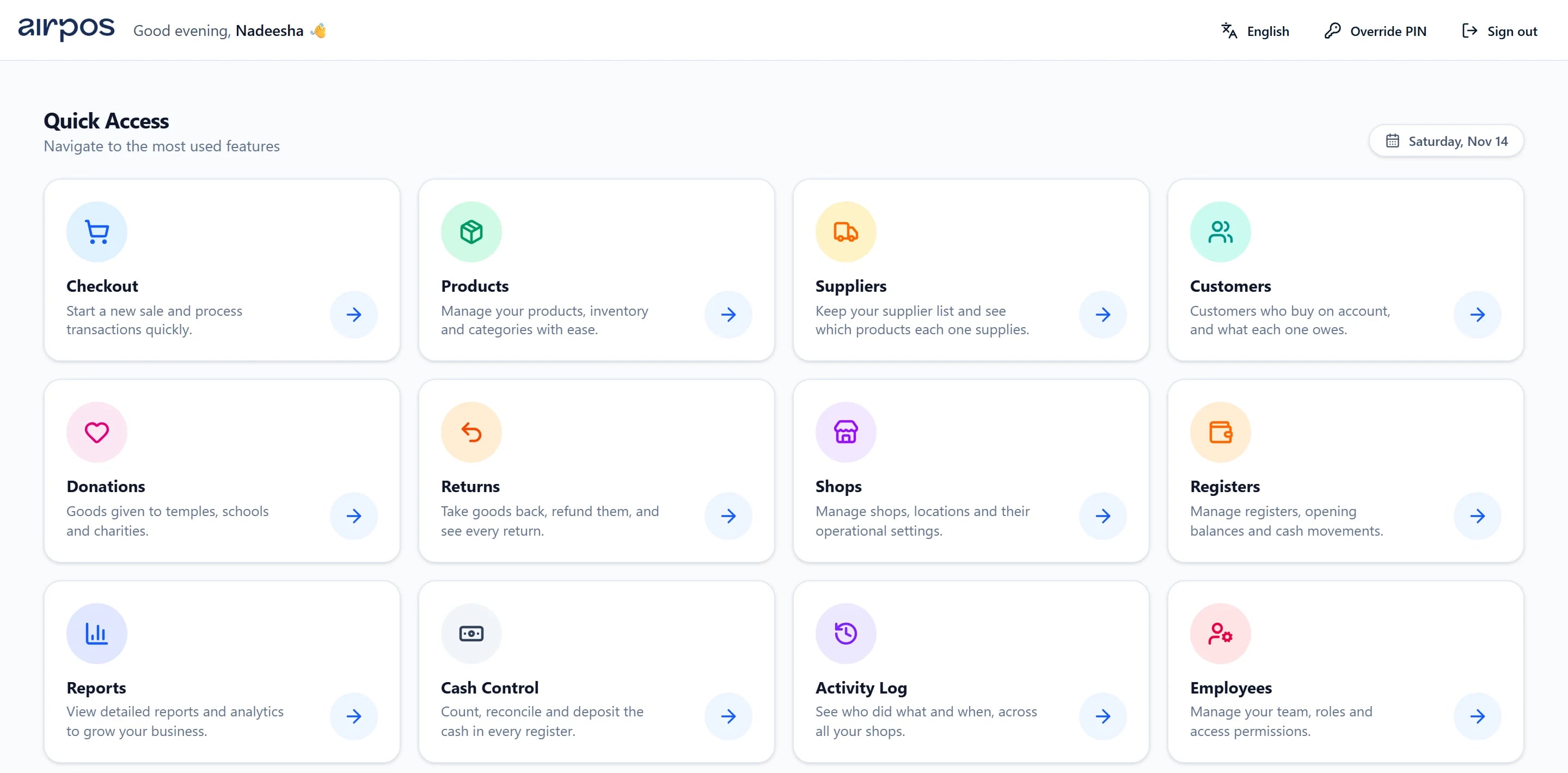
Every part of the business, one tap away from the AIRPOS home screen.
Simple at the counter
A till your team understands on day one.
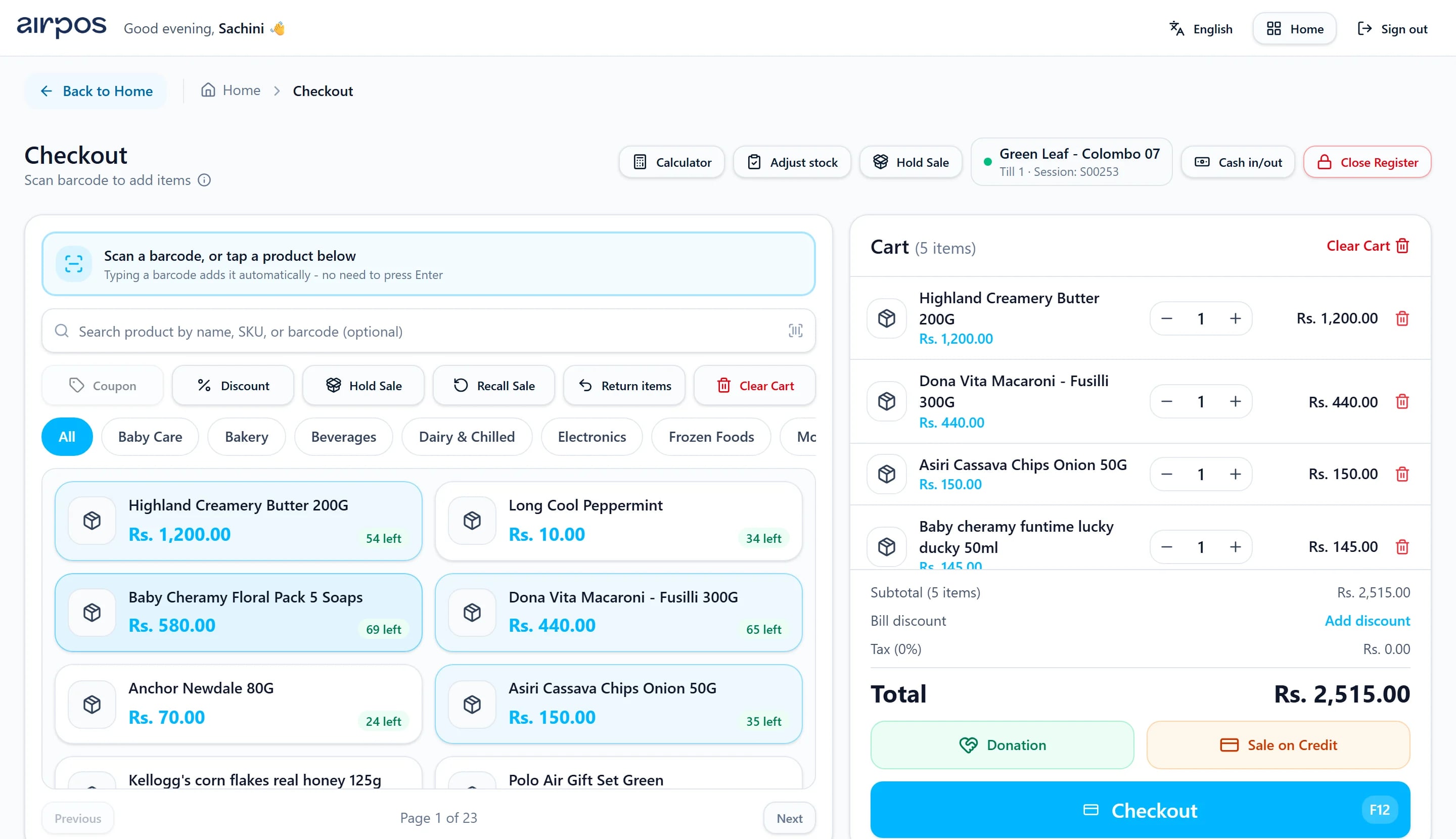
Scan a barcode or tap a product, and the sale builds itself. Clear totals, large touch targets and keyboard shortcuts keep the queue moving.
- Scan, tap or search
- Barcodes add instantly — no need to press Enter. Search by name, SKU or barcode.
- Pay your way
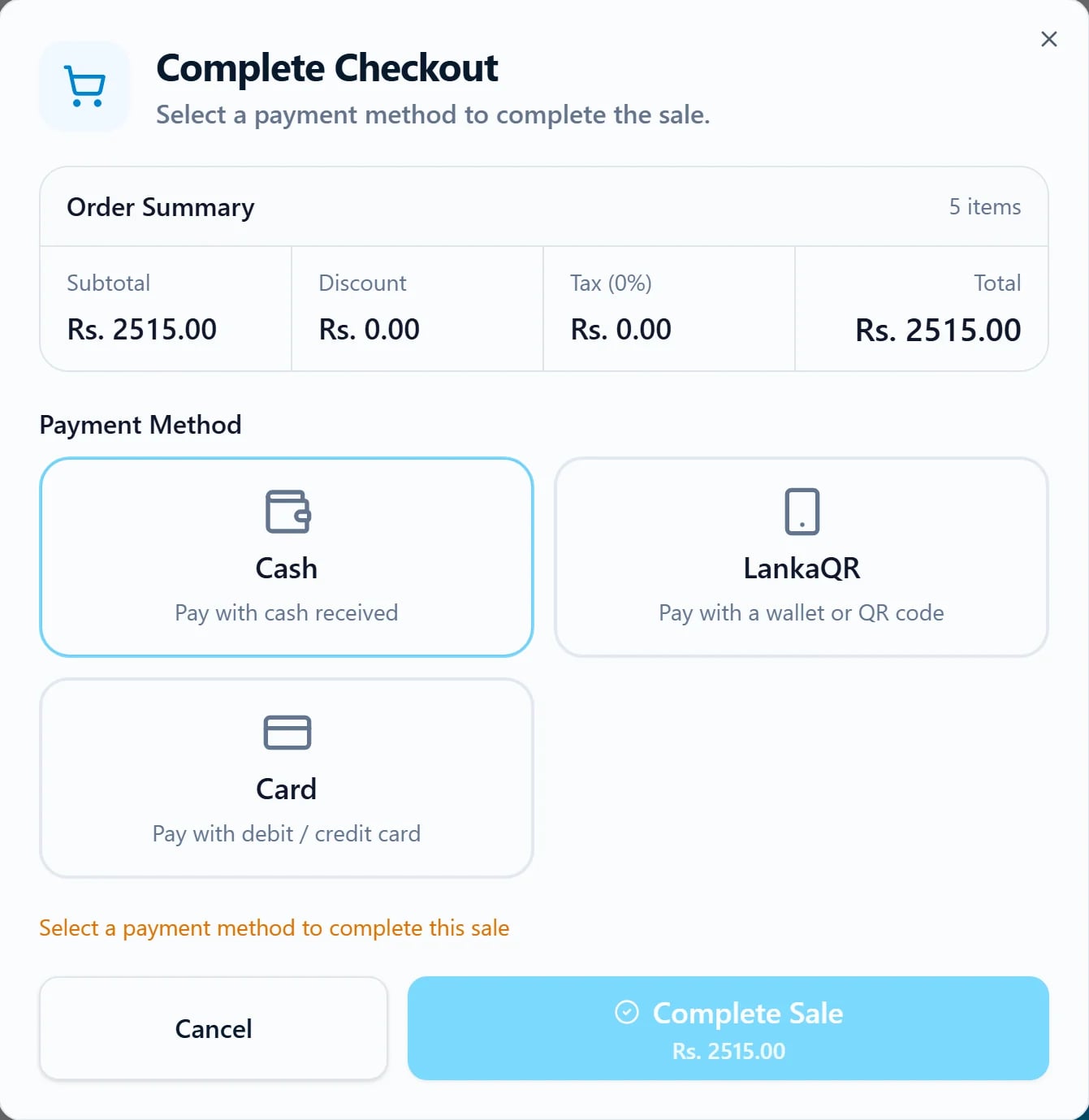
- Cash with change due, card, and payment methods you set up — such as LankaQR.
- Hold, recall, return
- Park a customer’s cart, serve the next one, and handle returns from the same screen.
- Manager approval built in
- Price changes can require a manager’s PIN, recorded against the sale.
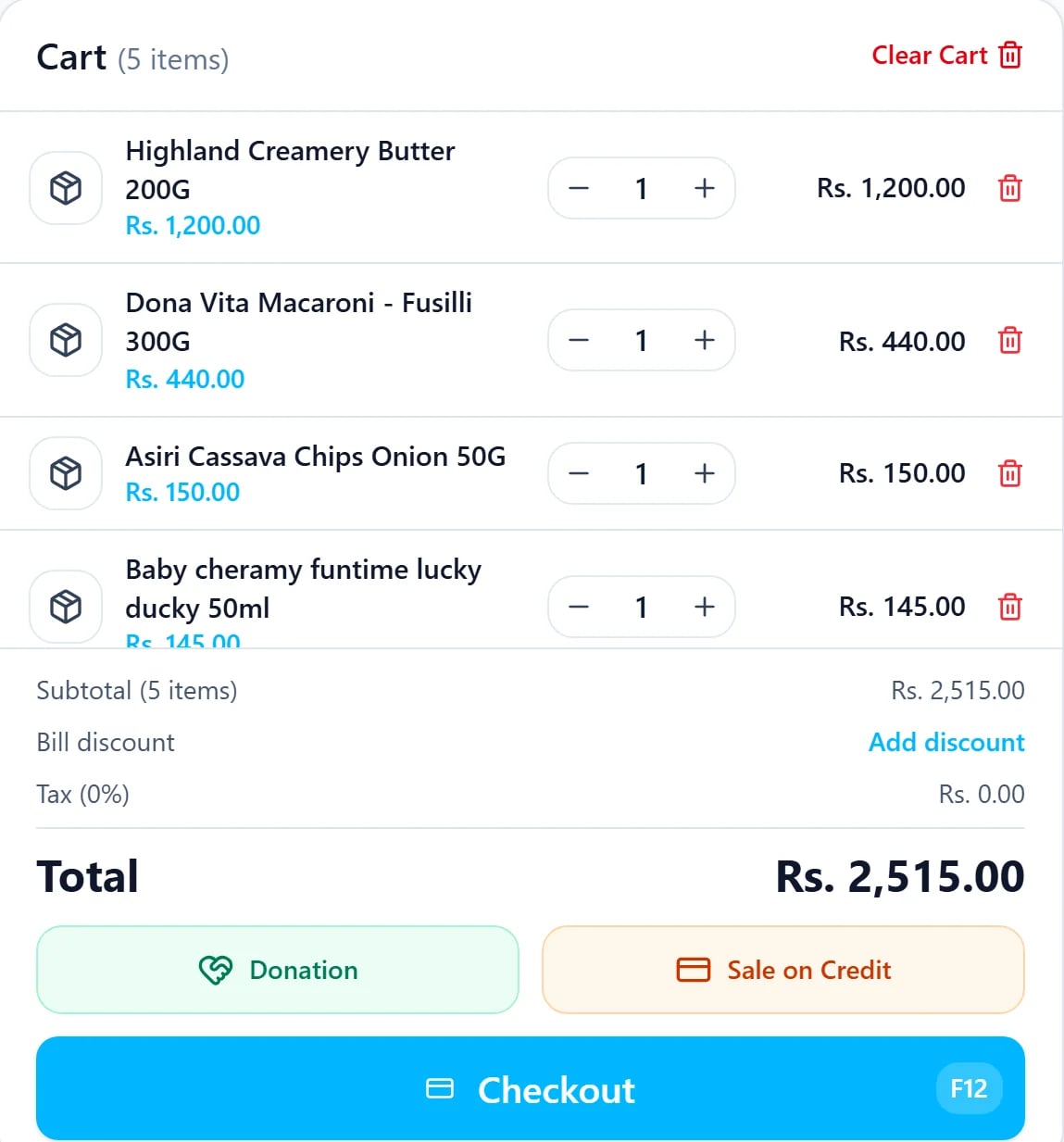
- F1 Hold
- F2 Recall
- F3 Discount
- F12 Checkout
Powerful behind the scenes
The full picture, without the paperwork.
Stock, expiry, profit and cash — kept up to date by every sale, and laid out so you can act on them.
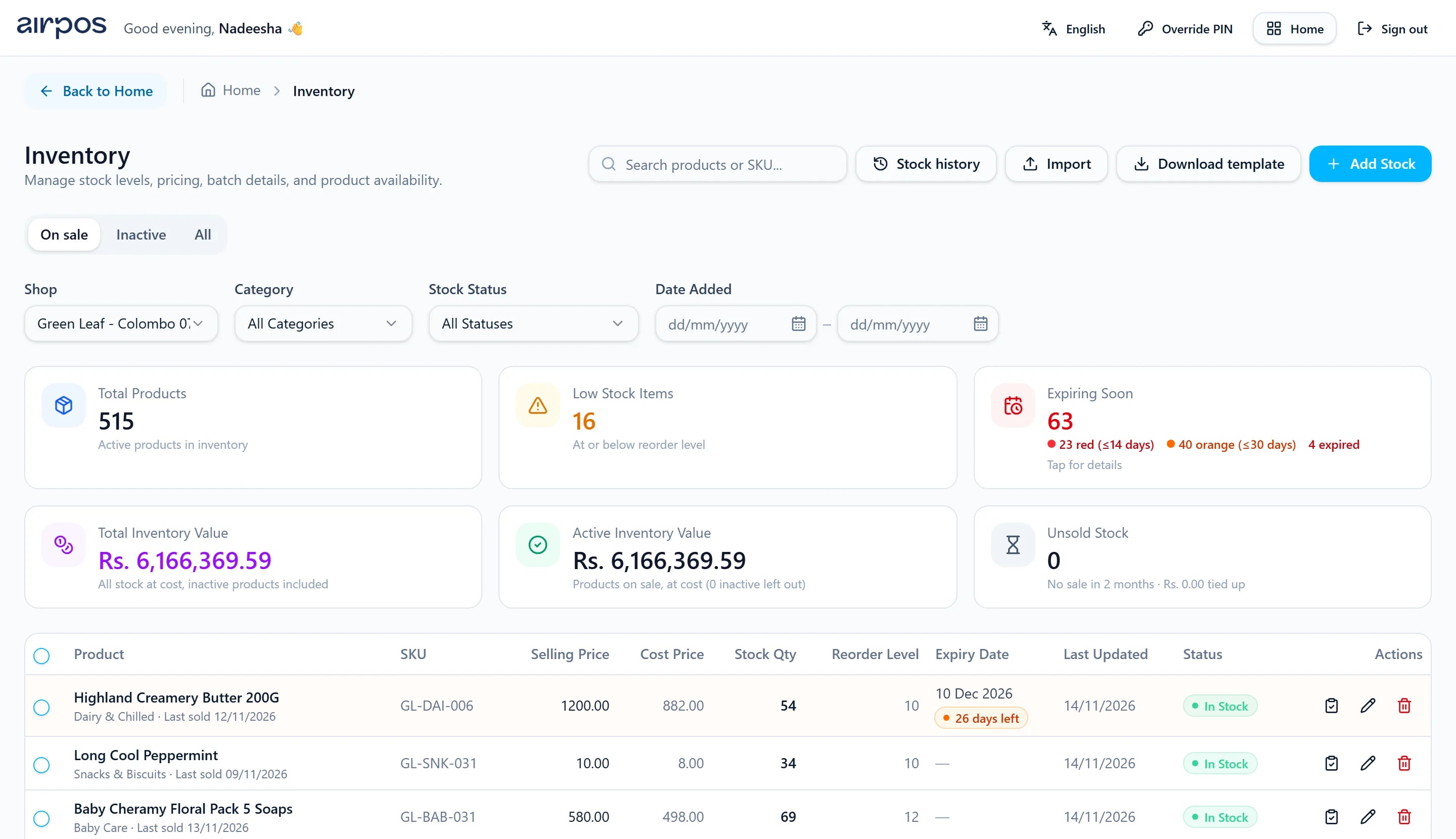
Know what’s on the shelf — and what needs attention.
Stock is tracked in batches with their own price, cost and expiry, per shop. Low stock and value at cost are always in view.
- Low-stock alerts against reorder levels
- Excel import and stock-receipt sheets
- Stock history for every product
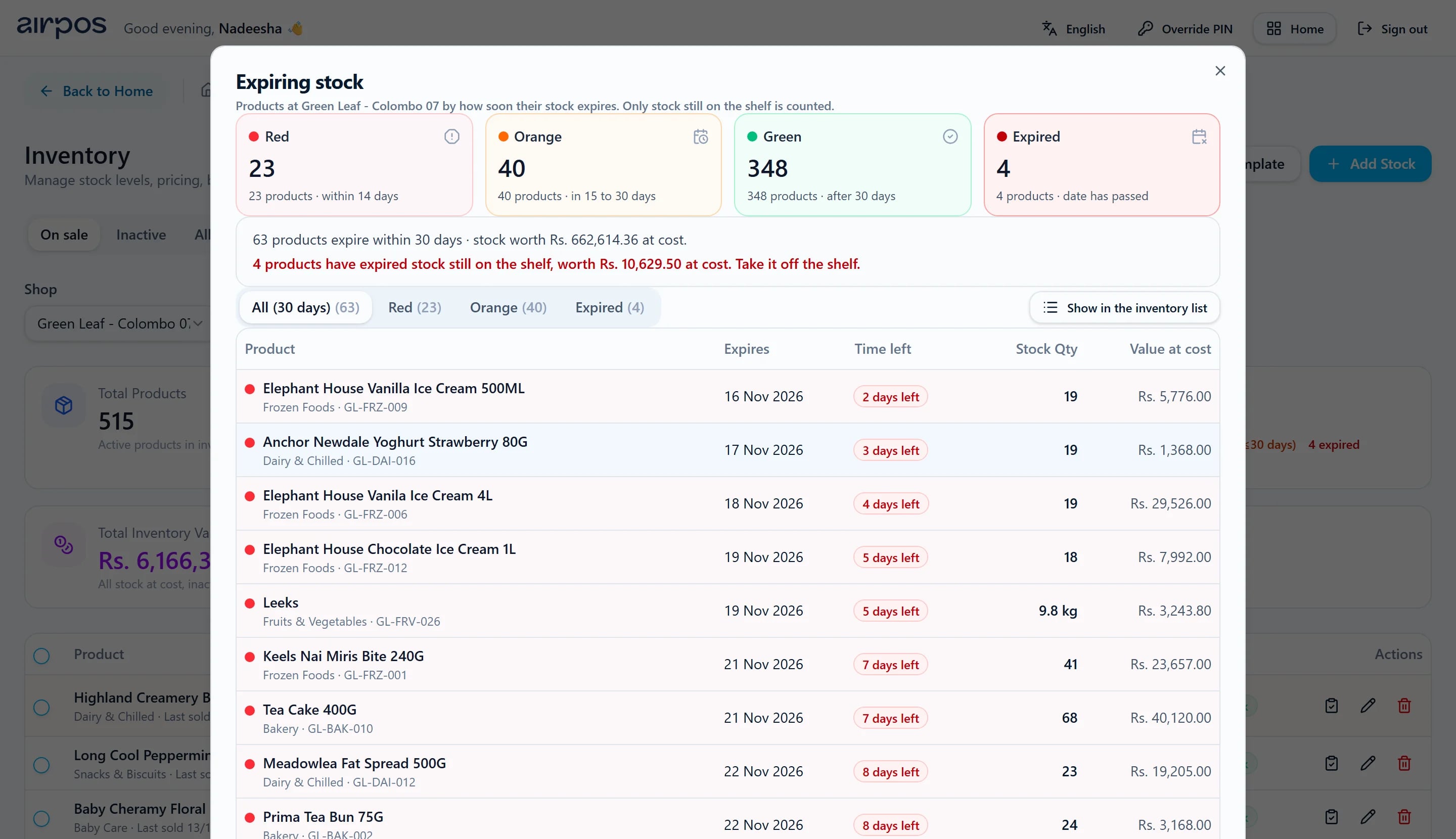
Catch expiring stock before it becomes a loss.
Products are grouped by how soon they expire, with the value at cost — so you know exactly what to move first.
- Red within 14 days, orange within 30
- Expired stock flagged for removal
- Value at risk shown at cost
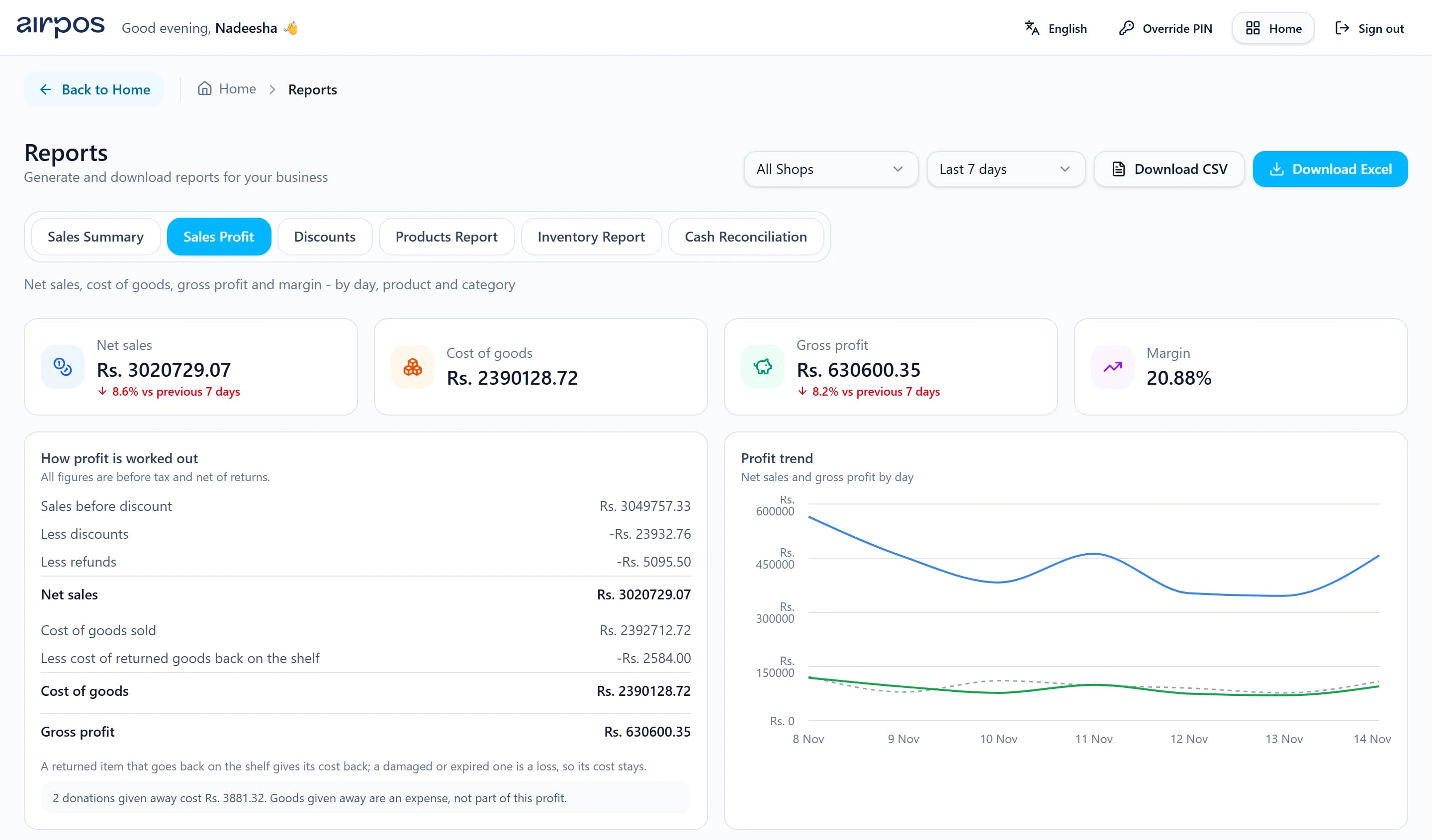
See what you really earned, step by step.
Net sales, cost of goods and gross profit, worked out in plain lines — including discounts, refunds and returned stock.
- Profit trend by day
- Most profitable products and categories
- Download as CSV or Excel
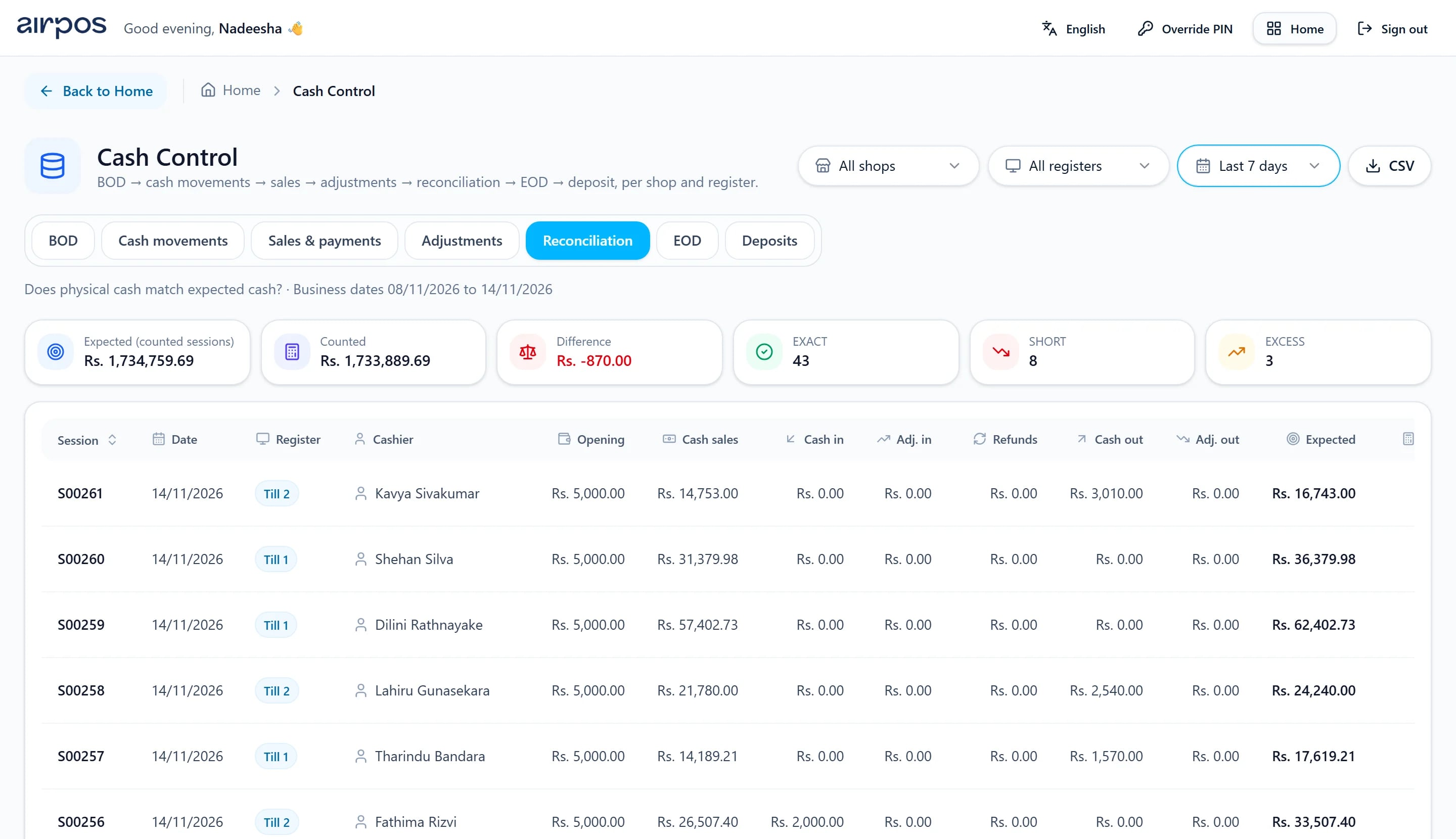
Every register, balanced and accounted for.
Open with a float, record cash in and out, count at close. AIRPOS works out expected cash and shows whether each session is exact, short or over.
- Reconciliation per shop, register and cashier
- Adjustments with second-person approval
- Deposits recorded against each session
Powerful as enterprise
Control that runs quietly in the background.
The checks larger retailers rely on are built in — so you can hand over the till with confidence, without adding paperwork.
Manager approval by PIN
When a cashier changes a price, a manager approves it with their own PIN on the spot. The approval works once, for that line only, and is recorded on the sale.
Two people for cash adjustments
Corrections to expected cash need a second person to approve. Nobody can approve their own, and a register can’t be closed while one is pending.
Roles that match your team
Owner, manager and cashier roles are ready from day one. Create your own and choose exactly what each role can see and do.
A record of every action
The activity log shows who did what, when and where — sales, cash, stock and sign-ins — across every shop.
Reprints are always marked
The first receipt is the original. Every reprint is clearly marked as a duplicate, and you can limit how many are allowed.
History that doesn’t change
Prices, tax and payment details are saved with each sale, so later changes to settings never rewrite past records.
AIR Fetcher
Product setup, made lighter.
Adding a new range shouldn’t mean typing every product by hand. AIR Fetcher looks up products by barcode, and when there’s no match, AI-assisted visual identification suggests the details from a photo.
Suggestions are reviewed by you before anything is saved.
Scan the barcode
AIR Fetcher looks the product up from its barcode.
Or take a photo
No match? AI-assisted identification suggests the product details.
Review and price
You check the details and enter cost and selling price.
Save to your catalogue
The product is ready to sell — nothing is added without your review.
Built for real businesses
For shops that are growing — one counter or many.
AIRPOS is designed for small and growing businesses across retail. Whether you run a single counter or several branches, the same connected platform scales with you.
- Supermarkets
- Grocery & minimarts
- Pharmacies
- Bookshops & stationery
- Hardware
- Food & beverage
Multiple shops
Stock, registers and sales are kept per shop, with reports across all of them.
Customers on account
Sell on credit to regular customers, set credit limits and see what each one owes.
Returns, handled properly
Take goods back and refund them at the till. Stock that goes back on the shelf is counted back into your figures.
Donations, recorded
Record goods given to temples, schools and charities — kept separate from your profit.
Ready to make business feel simpler?
Discover how AIRPOS can support the way your business operates.
Contact our sales team